The Note Taking Experience With Google Drive
During the time in my diploma we always needed to use our PC or laptop for educational purpose. Example when we need to prepare presentation we would need PowerPoint, or Microsoft Word for Document or preparing reports.
Little did I know there was GoogleDrive which was an online storage alternative but there was so much to it that I didn't know till the day our lecturer introduced it to us with other built-in function.
As I'm accustomed to Microsoft Office and One Drive, I'm reluctant to switch over to Google at first but since I already using their Ecosystem(Android,Blogger,Google+), why not give it a try.
And I am amazed with what Google Drive can do and most importantly it is free.
First when we signed in with Google Drive it gives us a free 15GB Storage which I quickly filled it up with my personal photos, files, notes are sync to it via my phone. This allow me to quickly access all my important details.
.png) |
| Google Drive |
One handy App that helped me in note taking alot is Google Keep, it runs as a small widget on my phone. When ever I take down notes on it, it will sync up to Google Drive. This tools comes in handy especially when I need to extract details from my phone to my PC. Example having an url related to our report forwarded to me in WeChat, I could just copy that url into Google Keep and access it from Google Drive.
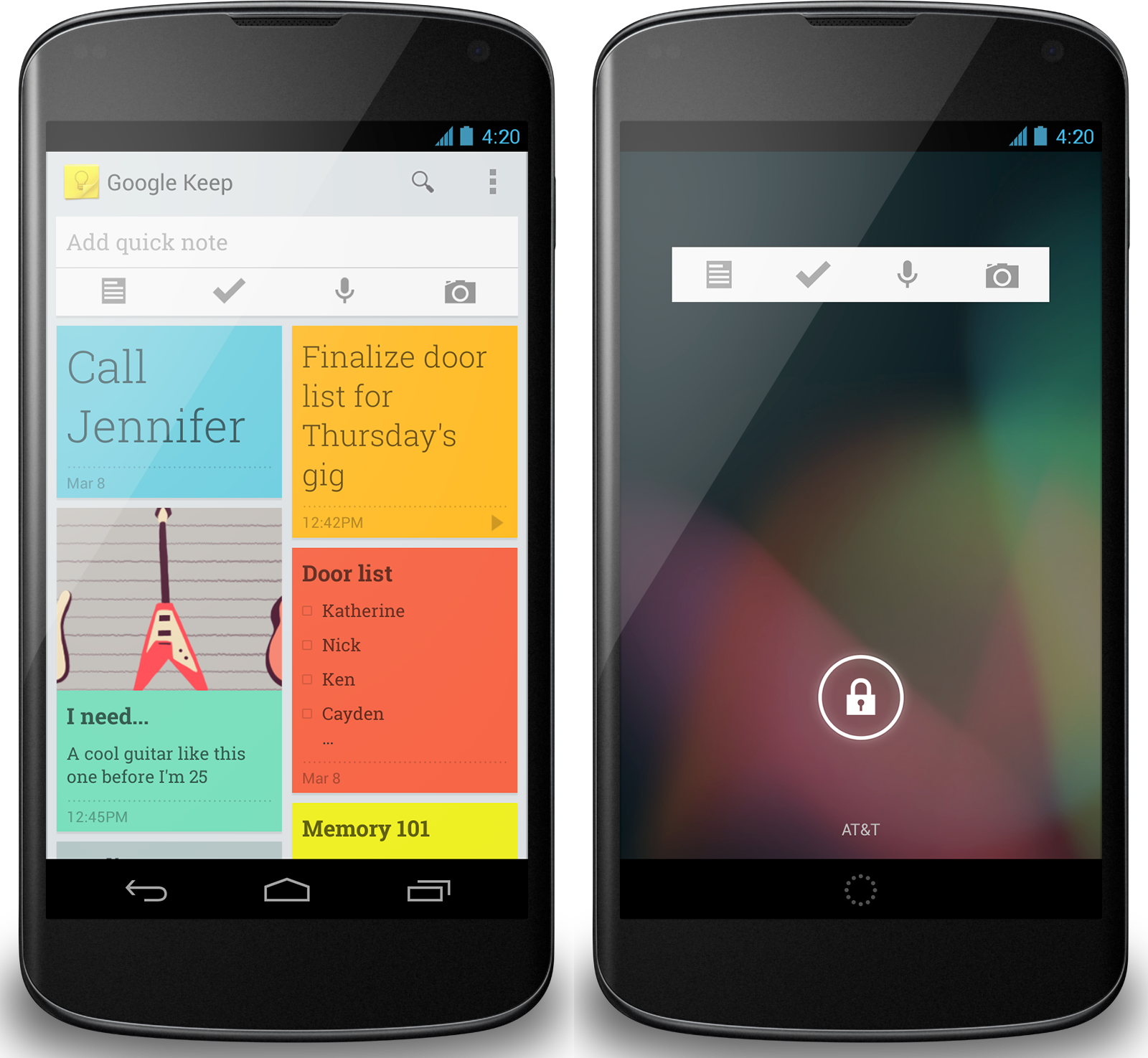 |
| Google Keep |
Second most useful app is the Google Docs. Google Docs allows me to work on a document anywhere anytime as long there as I am connected to the internet. The most useful function that I find out is using the comment section on Google Docs. This allow me and my team members to interact with one another such as adding more details to our report like pictures and graph or sources to support our report.
Aside of that, it let us all to work on one single document instead of having multiples documents. This saves us a lot of time wasted on recompiling from different report. It is more efficient this way in preparing the report compared to my previous way. Any changes will be then synced to Google Drive and can be accessed by all of my group member. Also we don't need to worry about forgetting to bring the document in the pendrive as it can easily accessed via our phone or laptop to Google Drive. If I would know about Google Drive earlier, it will be a life safer on more than one occasion where me and my group member forgotten to bring a copy on the presentation day itself.
 |
| Our Group's Google Drive |
 |
| Interacting In Google Docs to Improve Our Report |
There's also another flaw in the ecosystem too. The comment dosen't seem to work on me and my member smartphone on all platforms(Android,IOS,Windows Phone). Its hard for us if we can't comment or add suggestion to improve on the report or slide.
In conclusion, I am very happy with my experience using Google Apps to help me to complete my work more faster and efficiently. However there are room for improvement especially for offline editing.
In conclusion, I am very happy with my experience using Google Apps to help me to complete my work more faster and efficiently. However there are room for improvement especially for offline editing.
posted by LawrenceZ @ 8:04 AM
0 Comments


0 Comments:
Post a Comment
Subscribe to Post Comments [Atom]
<< Home